




























































































TurboWinz app: take the browser route
Looking for the TurboWinz app? Start with your browser, not a download hunt. The official site opens on mobile, with a racing video setting the pace and Log in and Sign up pointing you towards your account. You can get to the site without installing a file. That's the useful part; an extra icon is optional.
Browser first. Icon second.
For TurboWinz, the straightforward route is the website in your phone's browser. A home-screen shortcut saves typing the address, but it isn't a different casino or a reason to open another account.
| Your route | What it is good for | What to do |
|---|---|---|
| Mobile browser | Opening the site without an installation | Use an updated browser and the official address. |
| Home-screen option | Keeping a convenient launch icon | Check your browser menu; availability varies. |
| Bookmark | A simple fallback without another icon | Save the official page in your browser. |
Skip the APK treasure hunt
A download page with the right logo isn't enough. You already have a browser route, so don't disable phone security to install an unfamiliar file.
The sensible shortcut is the official site, not a mystery installer. If someone sends you a supposed store listing or download link, ask [email protected] before using it. Keep your login details out of third-party download forms. A logo is easy to borrow; your account shouldn't be.
Put TurboWinz on your home screen
Prefer an icon to digging through tabs? Check your browser's home-screen options. Wording varies by phone and browser. A bookmark does the basic job perfectly well.
- Open the official TurboWinz site in your normal browser, rather than inside a messaging or social app.
- On Android, look in the browser menu for an install or home-screen option, if offered.
- On iPhone, check Safari’s share menu for Add to Home Screen.
- Check the displayed name and destination before saving. Keep the official address, not a download page.
- Open the new icon once. If no suitable option is available, bookmark the site and carry on in the browser.
Same player, smaller screen
Moving from a laptop to a phone isn't a fresh start. Select Log in for the account you already use. Sign up is for registration. A saved icon doesn't replace your password, and opening the site through a shortcut may still bring up a login prompt.
If an extra verification step appears, follow the method shown. After a password change, update your password manager rather than repeatedly submitting the old entry.
Small-screen habits that actually help
A slot screen and a live roulette stream ask different things of your connection. A keyboard can also hide half a login form. Check the basics first.
- Use a current browser and check the address before entering account details.
- Scroll the login form if the keyboard covers a button; a hidden control is not necessarily a broken one.
- Try rotating your phone if a game feels cramped, where the game supports it.
- Use a stable connection for live tables. If the stream stalls, pause rather than tapping blindly.
- After a network switch, check the account or transaction status before repeating an action.
- Lock your phone when you put it down, and log out if the device is shared.
An icon is convenience, not a turbo button
A home-screen icon saves a few taps. It doesn't improve game odds, increase cashback or push a withdrawal to the front of a queue. Treat it like a bookmark with a better parking space, not an upgrade to your account.
For quick visits, use your phone. For long bonus conditions or sports markets, a bigger screen is less fiddly. Choose readability.
The lobby has more going on than the opening video
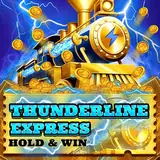
TurboWinz leads with motion, but the names in the lobby are more useful than the spectacle. Casino, Live Casino and Sports sit in the main navigation. Featured games include Diamond Strike: Lucky Reels and Thunderline Express Hold & Win, alongside Evolution's Lightning Roulette, Crazy Time and Immersive Roulette. Pick the section you want rather than scrolling through every tile.
The welcome package currently advertises up to €2,500 + 250 Free Spins, with weekly cashback up to 25% also promoted. Those are offer headlines, not the amount every mobile player receives. Check qualification, wagering, expiry and applicable games before accepting anything. Opening the site from a phone does not make a welcome offer a returning-player reward.
Display problem? Send [email protected] your phone model, browser and page name, without sensitive details. Set a budget; play only if you're 18 or older and access is allowed where you are.
TurboWinz mobile: straight answers
Can I use TurboWinz without downloading an app?
Yes. Open the official site in your mobile browser. Use Log in for an existing account or Sign up if you are registering for the first time.
How should I open TurboWinz on Android?
Use your normal browser and the official address. There is no need to install an APK to use the browser route.
What about iPhone access?
Open the site in Safari or your usual mobile browser. If you want a shortcut, check whether Safari offers Add to Home Screen in its share menu.
What does PWA mean?
It means progressive web app: a browser-based way of using a site with app-like conveniences. Home-screen and installation options depend on your device and browser.
Do I need a separate mobile account?
No. Select Log in and use your existing account details. A different device or a new home-screen icon is not a reason to register again.
Does a home-screen icon make payments faster?
No. It changes how you open the site, not how payments are processed. Check the payment information in your account for the relevant conditions.
Is the welcome package different on a phone?
Do not expect a separate reward just for using mobile. The advertised package is up to €2,500 + 250 Free Spins; check the current terms and your eligibility.
Who can help with a mobile display problem?
Email [email protected] with your phone model, browser and the affected page. Explain what happens and remove sensitive details from screenshots.

